Setup your privacy settings
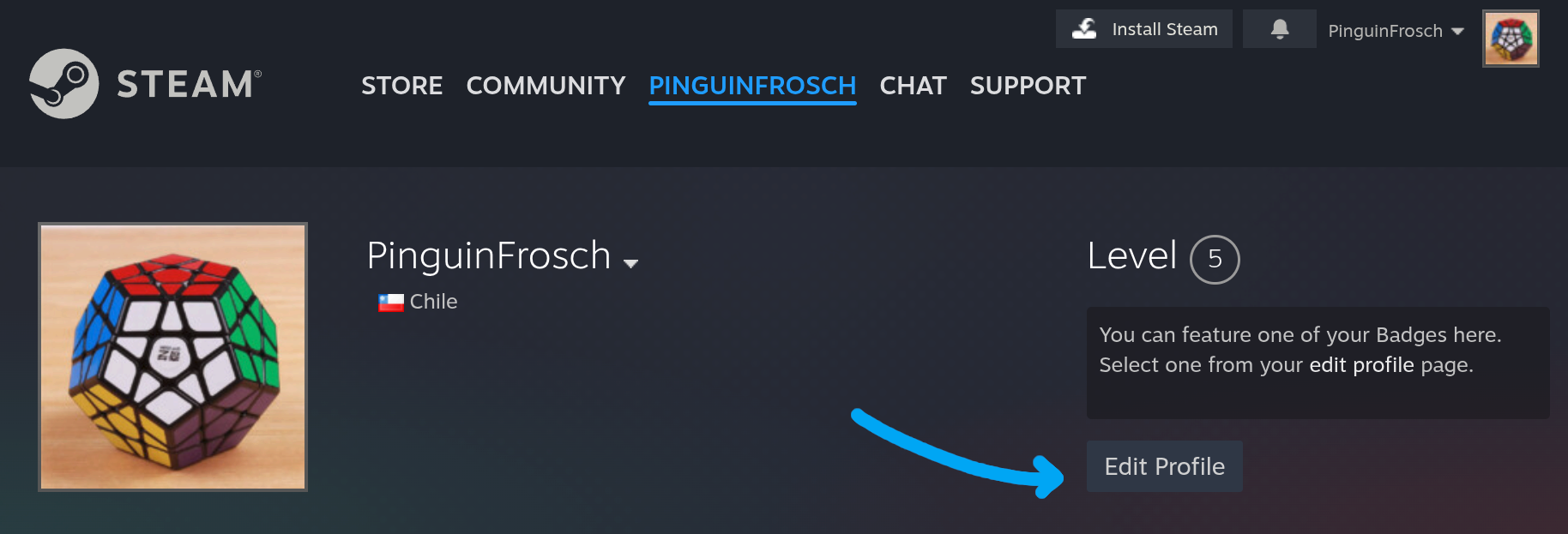
1. Go to Edit Profile on Steam.
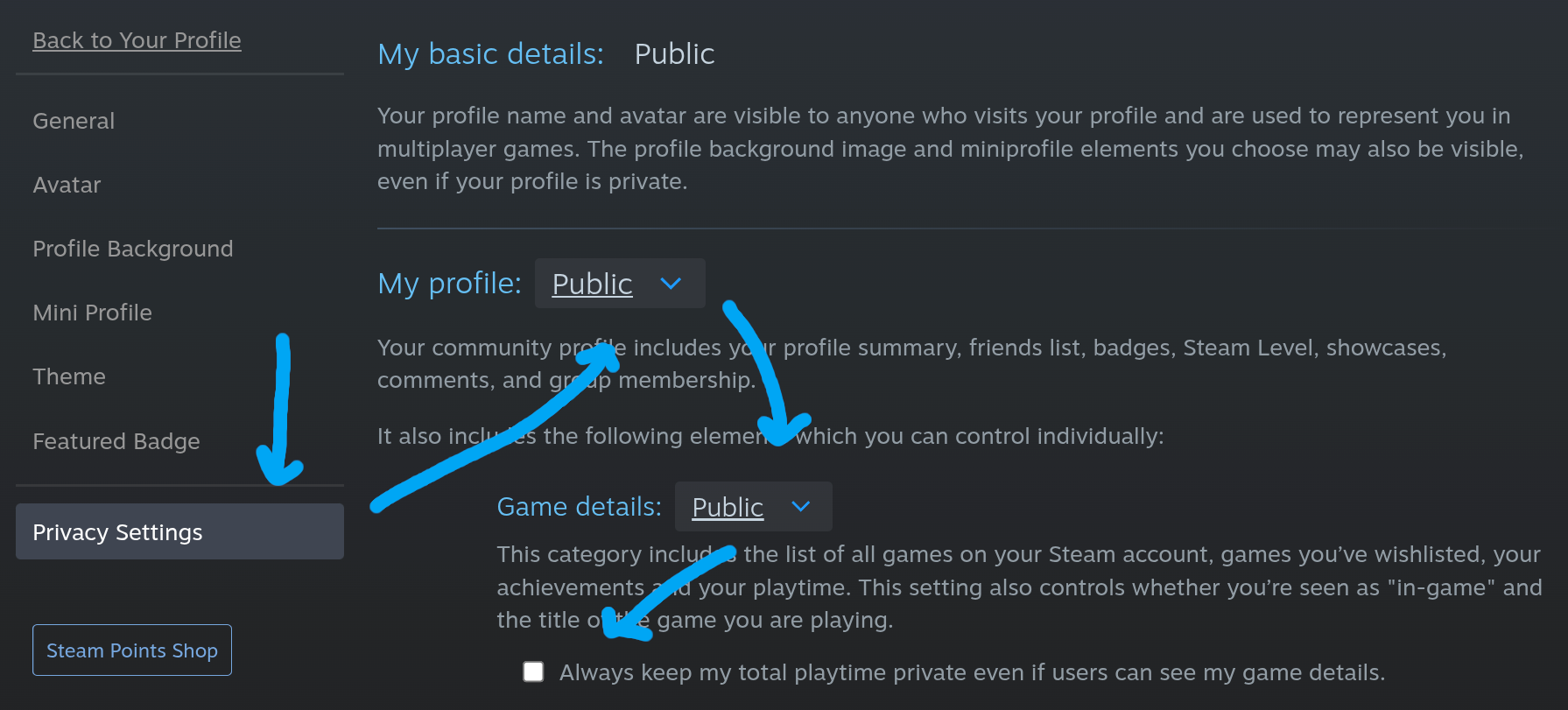
2. Click on the Privacy Settings section on the left. And make sure that My Profile and Game Details are public.
3. Disable the "Always keep my total playtime private even if users can see my game details." checkbox. Or your games won't sync, unless you do it manually.
Get your user id
On your Steam Profile, take a look at the url. Copy the highlighted part depending on the format you have.