Setup your privacy settings
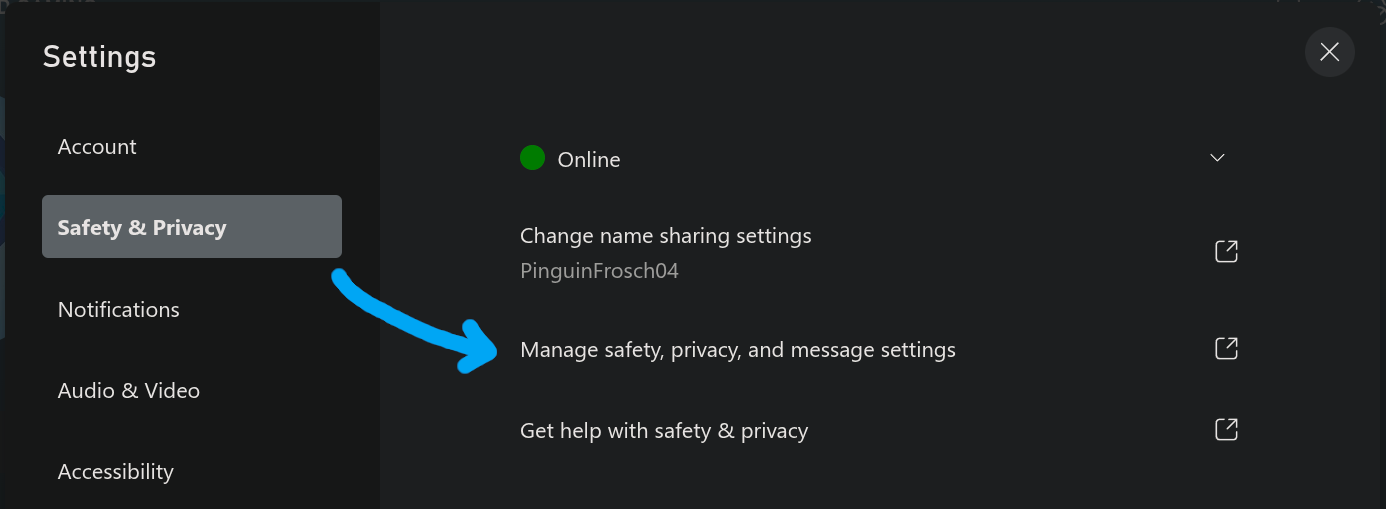
1. Go to Privacy and Safety settings on Xbox.
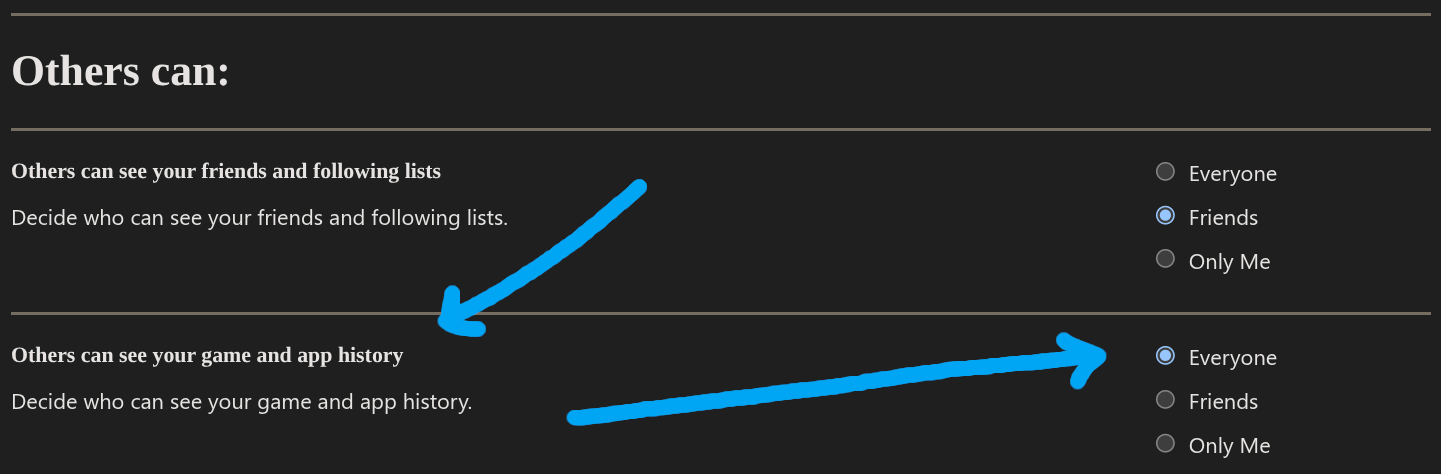
2. Make sure under Others can: the option Others can see your game and app history is set to Everyone.
Get your user id
On your Xbox Profile, take a look at your username. Your user id is your username. Remove the # if it has one.
A name like StarBlack115#464 would become StarBlack115464.
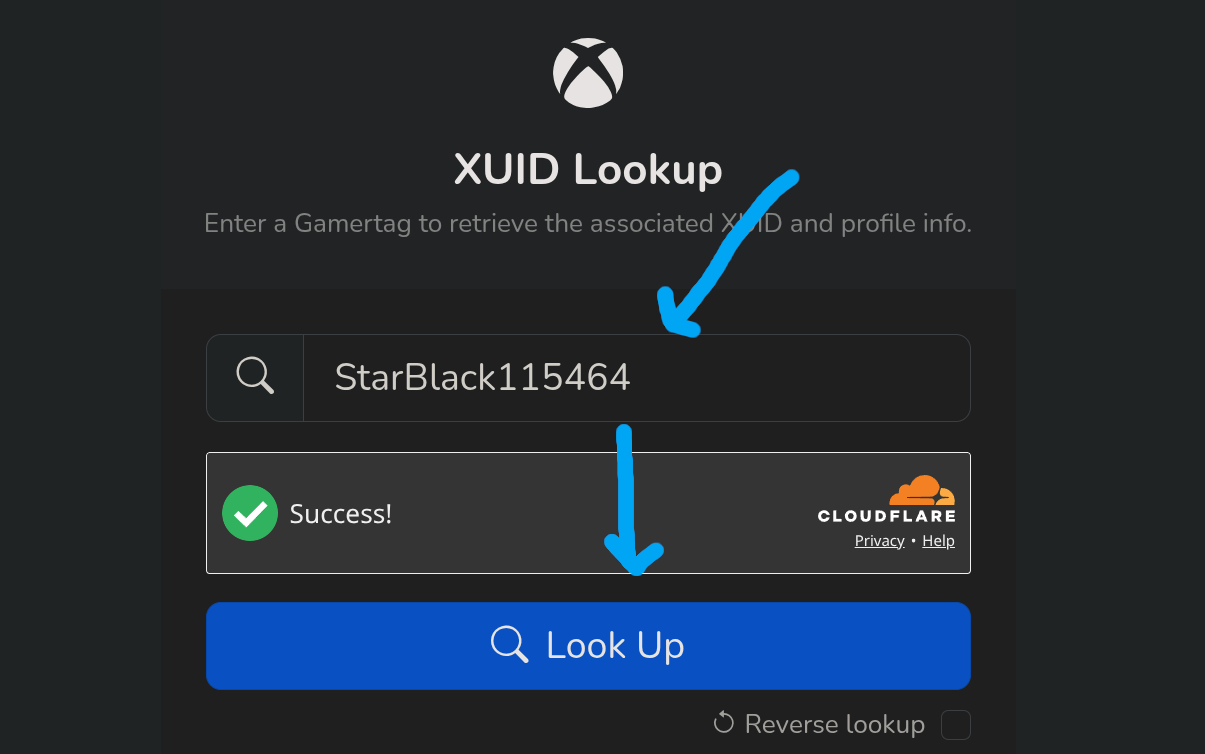
1. Go to XUID Lookup. Enter your username as explained above in the Gamertag field. Then press Look up.
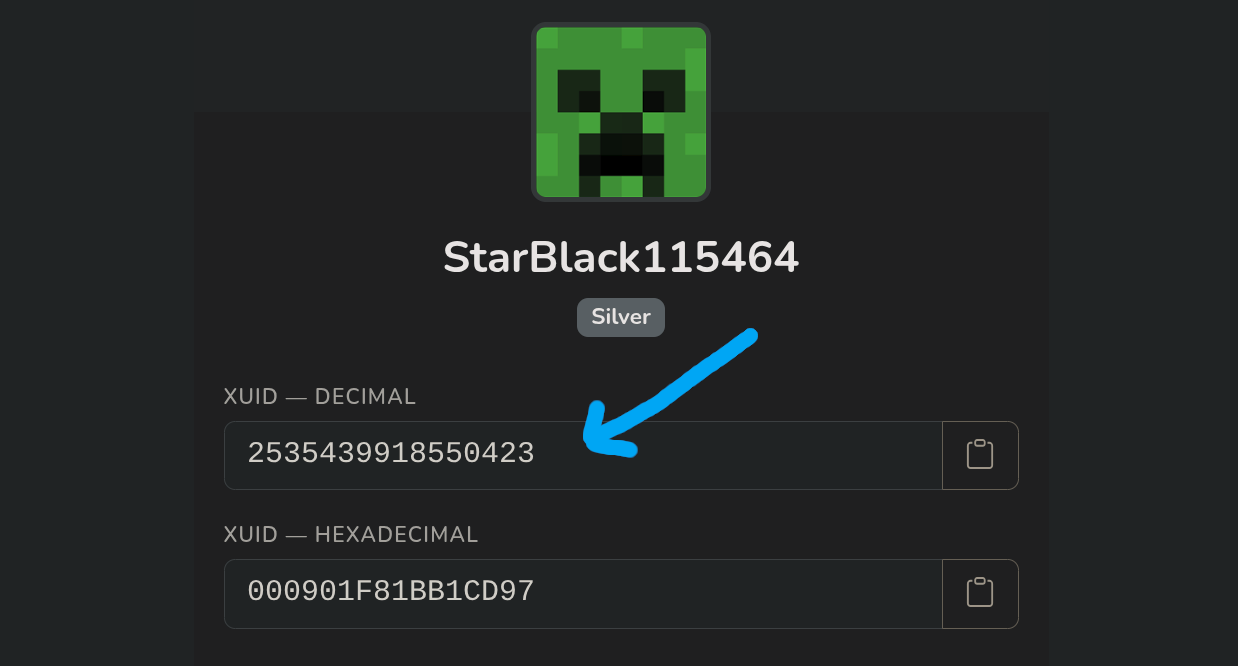
2. You'll get two values back, copy the XUID - DECIMAL. Use that as your user id.